





Features of MixColors 5.4


MixColors Photoshop plugin for digital painters, matte painters, vfx artists and comic artists. Improve your techniques with MixColors color palette!
Supports Photoshop 2024, 2023, 2022, 2021, 2020, CC 2019, CC 2018, CC 2017, CC 2015, CC 2014, CC, CS6, CS5.5, CS5, CS4, CS3, Mac, PC (all Windows). Provides easy mixing of color of your brushes for fast painting on digital canvas. The perfect color painting tool for your Modbook and companion to MagicPicker Photoshop Color Wheel! Used and approved by Hollywood artists.
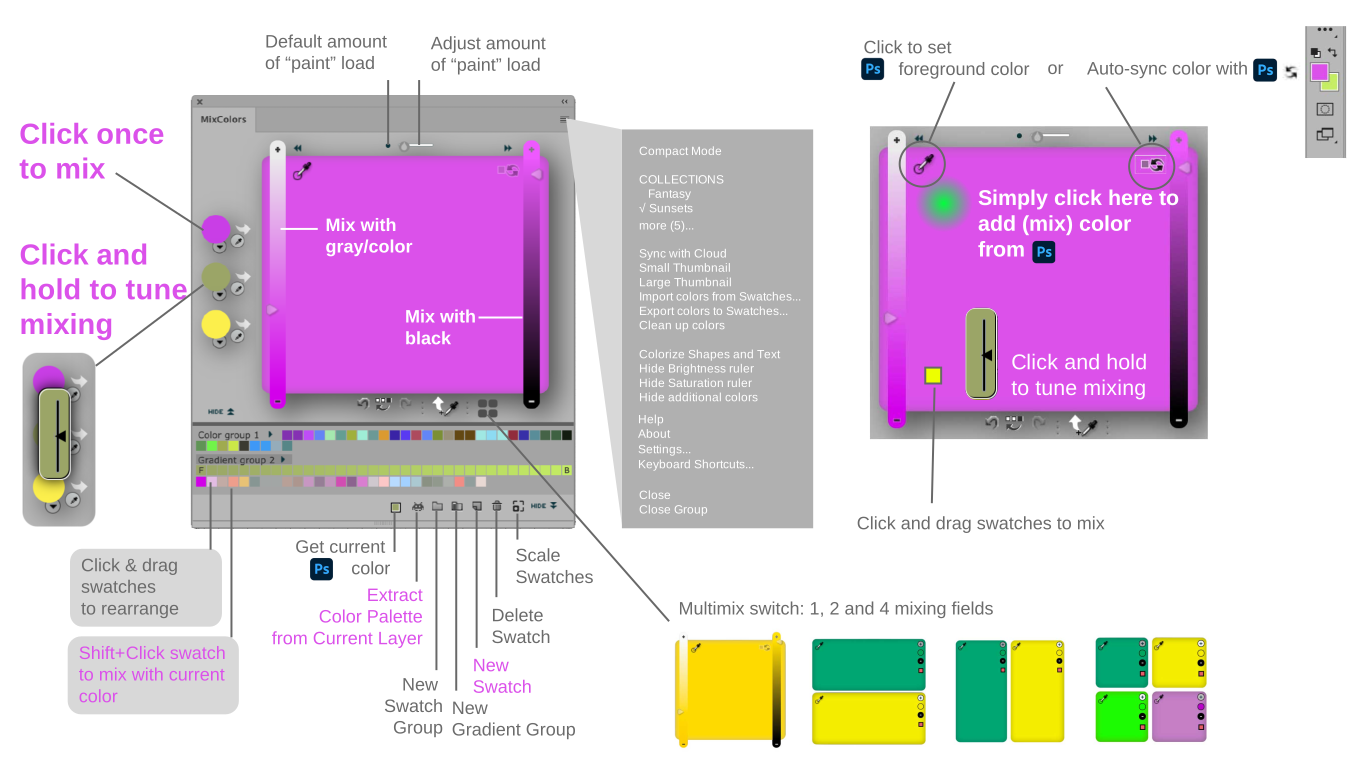
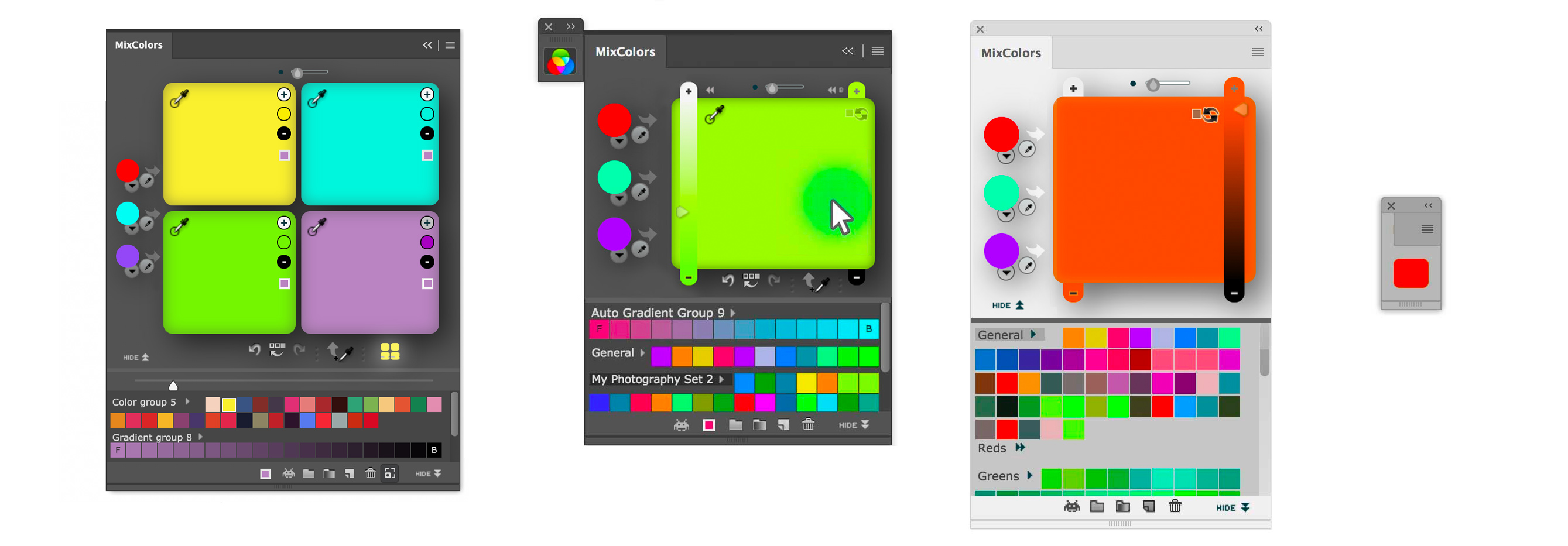
MixColors Color Mixer Modes, Multimix and Swatch Groups
« Return to panels
MixColors Photoshop plugin for digital painters, matte painters, vfx artists and comic artists. Improve your techniques with MixColors color palette!
Supports Photoshop 2024, 2023, 2022, 2021, 2020, CC 2019, CC 2018, CC 2017, CC 2015, CC 2014, CC, CS6, CS5.5, CS5, CS4, CS3, Mac, PC (all Windows). Provides easy mixing of color of your brushes for fast painting on digital canvas. The perfect color painting tool for your Modbook and companion to MagicPicker Photoshop Color Wheel! Used and approved by Hollywood artists.
-
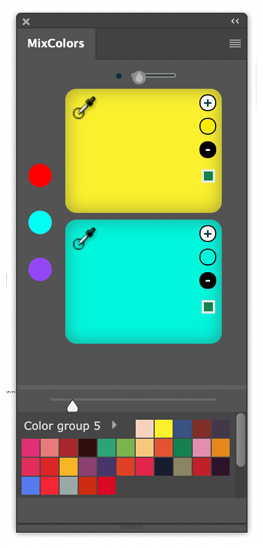
new! Multimix Mode:
- Click the new button under main color mixing area to switch modes.
- Choose 1, 2 or 4 independent mixing fields (vertical, horizontal, grid).
- Each field has 5 buttons: Add white, add color, add black, get from Photoshop, pick color to Photoshop.
- Click the field to mix in the current color; adjust “brush strength” at the top.
- Fields scale with panel; you can hide/show or rearrange them.
-
new! Free scaling of swatches:
- Click the toolbar button, then drag slider to resize thumbnails—ideal for Hi-DPI screens.
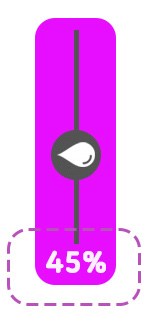
- new! Color sliders now show percentage on long-click or dropdown next to mixers.
-
new! Color History improvements:
- Marks current selection.
- Drag’n’drop swatches into mixing fields.
- new! Select multiple swatches to move or copy into a new group via right-click contextual menu.
- Fine-tune default mixing amount/paint load with the new slider on top; “Default” button resets to factory.
- Extract color palette from any Photoshop image—specify number of colors, works on selected layer.
- Auto-assign human-readable names to swatches (Settings).
- Assign Keyboard Shortcuts to individual swatches (right-click).
- Collections! Combine groups and toggle combos with one click or shortcut.
- Save/load swatches to a file in Documents or cloud (Dropbox, Drive…).
- Mix colors of vector shapes.
- Color history persists across sessions (Settings toggle).
- Localization: English, Chinese, Spanish.
- Smart Color Groups—auto-gradient between foreground/background or any colors. Shift+click to mix.
- Easily assign Keyboard Shortcuts via integrated dialog (add swatch, add group, undo/redo, toggle modes, etc.).
- Shift+click to quickly add swatch to mix; drag’n’drop or single-click sets current color.
- CS3–2024+ support! Rewritten for Photoshop CC 2024.
- Color groups! Intuitive drag’n’drop management.
- Cloud Sync with 256-bit encryption.
- Color mixing improved—next-gen formula for speed & accuracy.
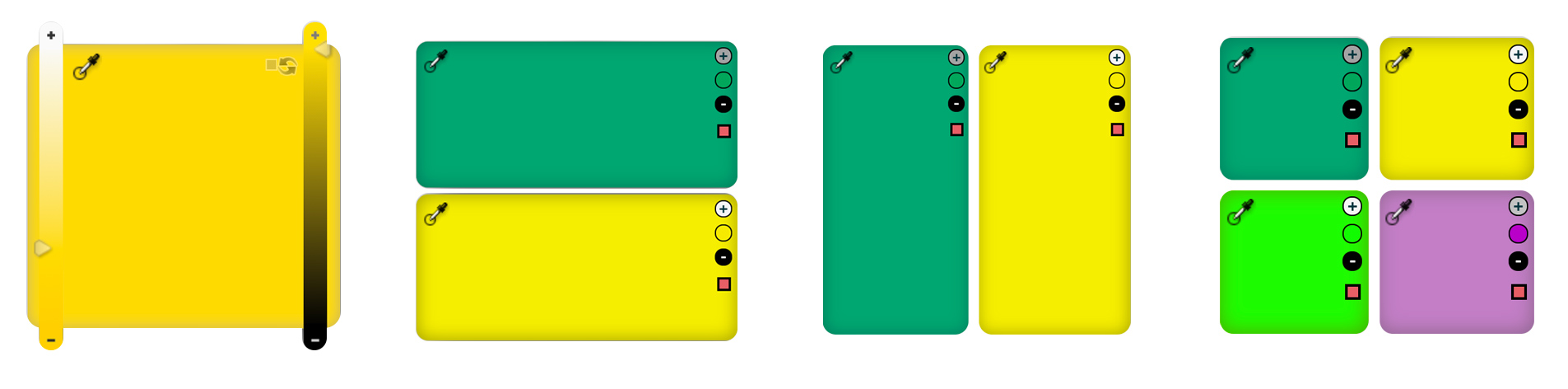

MixColors Color Mixer Modes, Multimix and Swatch Groups
- Physically-accurate color mixing—just like real life.
- Oil/pastel/watercolor emulation with high-speed engine.
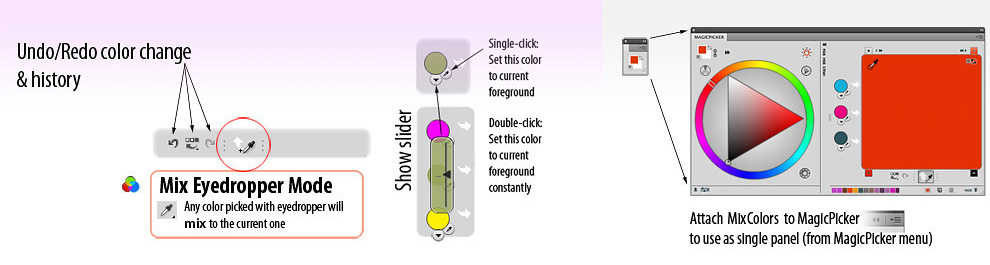
- Mix via Photoshop eyedropper—pick a color and it instantly blends with current.
- History log with undo/redo buttons.
- Compact Mode! Panel stays tiny until hover.
- Attach panels (e.g. MagicPicker) for seamless combo in Compact Mode.
- Classic swatch palette—drag’n’drop to mix or add/delete.
- Import/export Photoshop swatches.
- Feedback from Photoshop supported.
- FREE UPDATES within major version.
- MixColors Photoshop manual (WIP).


« Return to panels

Subscribe to news by RSS
Subscribe to news by email
Support/Feedback/Contact
Terms of usage and copyright notice
Privacy Policy
Subscribe to news by email
Support/Feedback/Contact
Terms of usage and copyright notice
Privacy Policy


Copyright © 2007–2026 Anastasiy.
E-mail: hi@anastasiy.com
E-mail: hi@anastasiy.com


